


#Short Answer
Artificial intelligence (AI) has emerged as a transformative force in the workplace, fundamentally altering how employees manage time, perform task...
#Infobox
Explore how artificial intelligence (AI) transforms employee productivity through advanced tools, automation, and data-driven insights, enhancing efficiency and workflow optimization in modern workplaces.
#Overview
Artificial intelligence (AI) has emerged as a transformative force in the workplace, fundamentally altering how employees manage time, perform tasks, and collaborate. By leveraging machine learning, natural language processing (NLP), and predictive analytics, AI-powered tools automate repetitive processes, provide real-time insights, and augment human decision-making. The integration of AI into productivity workflows enables organizations to optimize resource allocation, reduce operational bottlenecks, and enhance overall output quality.
In the context of employee productivity, AI serves multiple roles: as a cognitive assistant that handles scheduling and communication, as an analytical engine that processes large datasets for trend identification, and as an automation framework that executes rule-based tasks without human intervention. The adoption of AI tools has become particularly critical in remote and hybrid work environments, where digital collaboration tools and intelligent automation bridge geographical and temporal gaps between team members.
#History / Background
The concept of using technology to enhance human productivity dates back to the Industrial Revolution, but the application of AI specifically began gaining traction in the late 20th century. Early AI systems, such as expert systems in the 1980s, attempted to mimic human decision-making but were limited by computational constraints and data availability.
The breakthrough came with the advent of big data and cloud computing in the 2010s, enabling AI models to process vast amounts of information efficiently. The launch of IBM Watson in 2011 and Google’s DeepMind AlphaGo in 2016 demonstrated AI’s potential beyond narrow tasks, sparking interest in enterprise applications. By 2018, companies like Microsoft, Salesforce, and Slack began integrating AI into their productivity suites, offering features such as intelligent email filtering, automated meeting scheduling, and real-time transcription.
The COVID-19 pandemic (2020–2022) accelerated AI adoption as organizations sought digital solutions to maintain productivity during lockdowns. Post-pandemic, the focus shifted toward hybrid work models, where AI tools became essential for managing asynchronous workflows and ensuring seamless collaboration across distributed teams.
#How It Works
#Core Technologies
AI enhances employee productivity through several foundational technologies:
- Machine Learning (ML): Algorithms that improve over time by learning from data patterns, enabling predictive task prioritization and workload forecasting.
- Natural Language Processing (NLP): Facilitates human-computer interaction via voice commands, chatbots, and sentiment analysis in communications.
- Robotic Process Automation (RPA): Software robots that mimic human actions to automate repetitive tasks like data entry, invoice processing, and email responses.
- Computer Vision: Enables AI to interpret visual data, such as extracting text from images (OCR) or analyzing video meetings for actionable insights.
- Predictive Analytics: Uses historical data to forecast productivity trends, identify burnout risks, and recommend optimal work schedules.
#Common Applications
AI tools are deployed across various productivity domains:
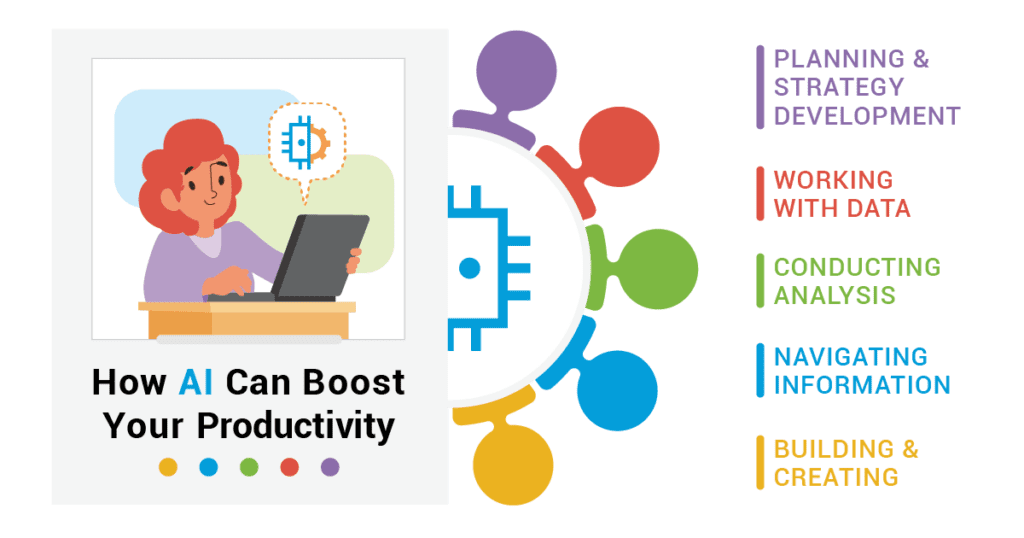
- Time Management: AI schedulers (e.g., Microsoft Outlook, Google Calendar) optimize meeting times and block focus periods based on cognitive load analysis.
- Communication: AI-powered email clients (e.g., Superhuman) prioritize messages, draft responses, and summarize long threads.
- Document Processing: Tools like Notion AI and Adobe Acrobat use NLP to extract key information from contracts, reports, and emails.
- Project Management: Platforms such as Asana and ClickUp leverage AI to assign tasks, estimate deadlines, and flag potential delays.
- Learning and Development: AI-driven platforms (e.g., Duolingo, Coursera) personalize training content based on employee performance data.
#Important Facts
- Productivity Gains: Companies using AI-driven productivity tools report a 30–50% reduction in time spent on manual tasks (McKinsey, 2024).
- Cost Efficiency: Automation of repetitive tasks can save businesses up to $1.2 trillion annually by 2030 (Accenture).
- Employee Satisfaction: 72% of workers believe AI tools reduce stress by handling mundane tasks (Deloitte, 2025).
- Adoption Barriers: Only 23% of SMEs have fully integrated AI due to high implementation costs and skill gaps (PwC).
- Ethical Concerns: 68% of employees worry about AI replacing jobs, though 89% acknowledge its role in augmenting human work (IBM, 2025).
#Related Terms
#FAQ
What does AI And Employee Productivity: Tools And Tips cover?
Explores how artificial intelligence shapes employee productivity and tools and tips, covering practical use cases, benefits, limitations, and risks.
Why is AI And Employee Productivity: Tools And Tips important?
It helps readers understand key concepts, compare practical use cases, and evaluate how Business & Marketing decisions affect outcomes, risks, and implementation choices.
What should readers verify before applying this topic?
Readers should compare the benefits, limitations, data requirements, and related themes such as Employee, Productivity, Tool before using the ideas in real projects.
#References
- AI And Employee Productivity: Tools And Tips terminology and background research
- AI And Employee Productivity: Tools And Tips use cases, implementation examples, and limitations
- Business & Marketing best practices, standards, and risk guidance
- Employee case studies, benchmarks, and current industry analysis


Comments
No comments yet. Start the discussion with a useful note.